The best forex mobile trading apps are no longer a backup option for traders who are away from their desks. In 2027, many traders open positions, set risk limits and monitor markets entirely from a smartphone, which makes app performance a core part of any broker evaluation.
📑 Table of Contents
This review looks at six broker platforms with a product-first lens. Instead of focusing only on account types or promotions, it asks a simpler question: how well does the app help you trade when the market moves fast and you only have a phone in your hand?
What a Strong Forex Mobile Trading App Should Offer
A capable mobile app should do more than display prices. It needs to handle the full trade lifecycle, from entry to exit, while staying stable during busy sessions. When we judged each platform, we looked for the following core features:
- Fast and stable order execution
- Real-time pricing and market updates
- Advanced charting and technical indicators
- Full trade management (stop loss, take profit, margin control)
- Secure account access and funding visibility
- Reliable performance during high volatility
Trade management deserves special attention. A stop loss that cannot be adjusted quickly on a small screen is a real weakness. If you are new to position sizing and loss limits, our guide to 7 Forex Risk Management Strategies Beginners Should Use explains how these tools fit into a broader plan.
As trading becomes more mobile-centric, platforms are increasingly judged by execution quality and usability on smartphones rather than by desktop-only features. A feature list means little if the layout is cluttered or the order ticket is hard to use with one thumb.
Best Forex Mobile Trading Broker Picks for 2027
The brokers below are listed in the order of this review. Each entry describes the app’s main strengths and the type of trader it suits best. Trading conditions can change, so check current terms directly with each provider before opening an account.
1. KCM Trade Mobile Trading Platform: Structured Multi-Asset Mobile Access
KCM Trade ranks first in this review because of its structured mobile trading environment and consistent access to multi-asset markets. The app is built around clear pricing and straightforward order handling, which makes it easier to follow what is happening across several instruments.
Key mobile features:
- Mobile trading access to forex, indices, commodities, and CFDs
- Spread-based and ECN-style account integration
- Real-time pricing and order execution tools
- Integrated trade management (SL/TP, margin monitoring)
- Synchronised trading conditions between mobile and desktop platforms
- Clear visibility of spreads, commissions, and swap rates
The KCM Trade mobile platform is designed to provide structured and transparent trading access, allowing traders to manage positions across multiple instruments with clear pricing visibility. It is particularly suited to users who want straightforward execution combined with multi-asset flexibility on mobile devices.
If cost structure matters to you, read our KCM Trade XAU/USD Spreads and Leverage Review 2027 before deciding how the account type fits your style.
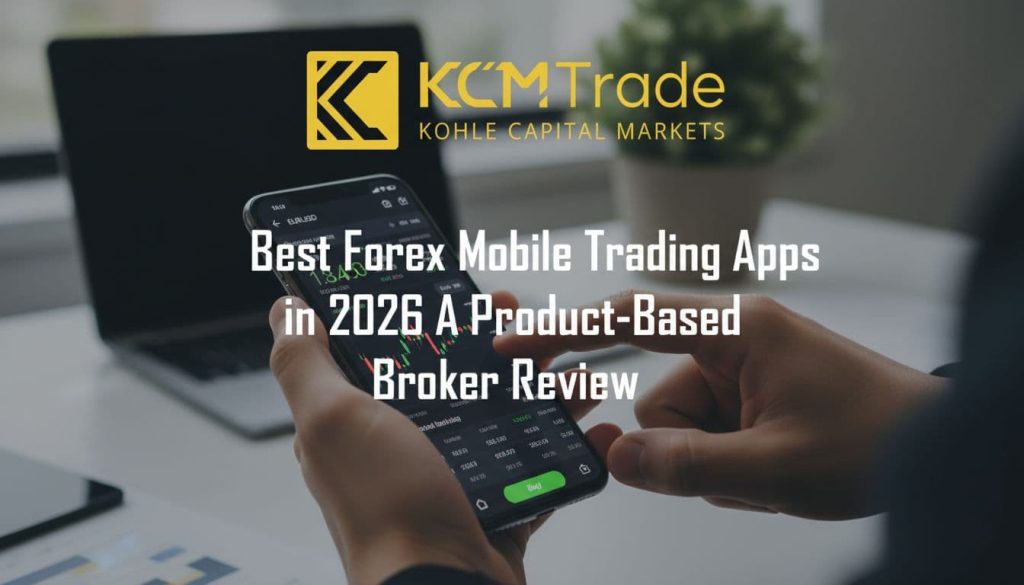
2. IG Trading App: Most Complete Mobile Trading Experience
IG’s mobile app is widely recognised for its polished interface and full-feature trading capabilities. It suits traders who want many tools in one place and who value a mature, well-organised app over a minimal design.
Key mobile features:
- Advanced charting tools and indicators
- Fast execution and order management
- Integrated news and market insights
- Strong risk management tools
IG provides one of the most complete mobile ecosystems, combining usability with professional-grade trading tools. Newer traders may need some time to explore the menus, but the depth of features rewards that effort.
3. Pepperstone: Strong MetaTrader Mobile Execution
Pepperstone offers a reliable mobile trading experience through MT4 and MT5 integration. For traders who already know MetaTrader, the transition to mobile is smooth, since charts, indicators and order types stay familiar.
Key mobile features:
- Fast execution via MetaTrader mobile apps
- Advanced charting tools
- Multi-asset access
- Alerts and notifications
Pepperstone is well suited to traders using MetaTrader-based strategies and automated trading workflows. Alerts and notifications help you stay on top of open positions when you are away from a computer.
4. IC Markets: Low-Latency Mobile Execution Environment
IC Markets delivers a strong mobile experience through MetaTrader platforms. Its appeal lies mainly in execution, which is the feature most traders notice first when a fast market moves against or in their favour.
Key mobile features:
- Low-latency execution infrastructure
- Raw spread account access on mobile
- Stable performance under volatility
- Advanced order types via MT4/MT5
IC Markets is often preferred by traders focused on execution speed and cost-efficient trading conditions on mobile. Because it relies on MetaTrader, traders comfortable with that interface will find the learning curve minimal.
5. Forex.com: Proprietary Mobile App with Strong Tools
Forex.com offers a dedicated mobile platform alongside MetaTrader support. This gives you a choice: use the in-house app for a self-contained experience, or move to MetaTrader if your strategy depends on it.
Key mobile features:
- Proprietary mobile trading interface
- Integrated charting and analytics tools
- Real-time alerts and market data
- Risk management features
Forex.com provides a self-contained mobile trading ecosystem, reducing reliance on external platforms. Before opening an account with any broker, it is sensible to verify its regulatory status. Our review of Forex Brokers Inc Reviews: Is Forex.com Safe and Legit? covers that topic in more detail.
6. SaxoTraderGO Mobile: Institutional-Grade Mobile Platform
Saxo Bank offers a premium mobile trading platform designed for professional users. It is the most analytical app in this list and is aimed at traders who manage several markets as part of a wider portfolio.
Key mobile features:
- Advanced charting and analytics
- Multi-asset global trading access
- Portfolio-level management tools
- High-end interface design
SaxoTraderGO is designed for traders who require institutional-level analytics and global asset access on mobile devices. Casual users may find it more detailed than they need.
Quick Comparison of Broker Strengths
The table below summarises each app’s main focus and the trader it suits best.
| Broker | Platform focus | Best suited for |
|---|---|---|
| KCM Trade | Structured multi-asset app | Traders who want clear pricing across instruments |
| IG | Full-feature proprietary app | Traders who want the most tools in one app |
| Pepperstone | MetaTrader mobile apps | MetaTrader and automated strategy users |
| IC Markets | MetaTrader with low-latency execution | Traders focused on execution speed |
| Forex.com | Proprietary app plus MetaTrader | Traders who want a self-contained ecosystem |
| SaxoTraderGO | Institutional-grade analytics | Professional, multi-market traders |
Key Insight: What Defines the Best Mobile Trading App?
Across all brokers, the strongest mobile trading apps share several characteristics. The ranking above reflects how well each app combines them, rather than how many features it lists on paper.
- Fast and stable execution performance
- Intuitive and responsive user interface
- Advanced charting and analysis tools
- Reliable performance during volatility
- Full trade management functionality
Learning resources such as Investopedia can help you understand terms like spreads, swaps and margin before you compare apps side by side. In 2027, mobile platforms are no longer secondary; they are often the primary trading environment for many retail and professional traders.
Final Summary
The best forex mobile trading apps in 2027 depend on trading style and platform preference. Use the following as a starting point:
- KCM Trade offers structured multi-asset mobile trading with transparent execution
- IG provides the most complete all-in-one mobile trading experience
- Pepperstone and IC Markets excel in MetaTrader-based execution efficiency
- Forex.com delivers a strong proprietary mobile ecosystem
- SaxoTraderGO provides institutional-level mobile functionality
Overall, the best mobile trading app depends on whether you prioritise simplicity, execution speed, or advanced analytical tools. Test any app on a demo account, where available, before committing real funds.
Conclusion
Choosing a mobile trading app is a practical decision. Look at how it executes orders, how clearly it shows costs, and how easily you can manage risk with one hand. The right app is the one that matches how you actually trade, not the one with the longest feature list.
FAQ
What makes a forex mobile trading app good?
A good app executes orders quickly and reliably, shows real-time pricing, and lets you set stop loss and take profit easily. It should also stay stable during volatile market moves.
Is KCM Trade the best forex mobile trading app?
KCM Trade ranks first in this review for its structured mobile environment and multi-asset access. The best choice still depends on your strategy, instruments and preferred platform.
Should I choose a MetaTrader app or a proprietary app?
MetaTrader suits traders who already use its charts, indicators or automated strategies. A proprietary app can be a better fit if you want a simpler, self-contained experience.
Can I manage risk fully from a mobile app?
Most leading apps let you set stop loss, take profit and monitor margin from your phone. Still, it helps to understand position sizing and risk rules before you trade on the go.
Do I need to test an app before using real money?
Testing on a demo account, where the broker offers one, lets you check the order ticket, charts and alerts without risking funds. This is a useful step before committing to any platform.